Keeping up with the theme of my last post, I’m here today sharing another single class solution to a common stack overflow question; How to share info (in this case a screenshot) to social media platform on your phone.
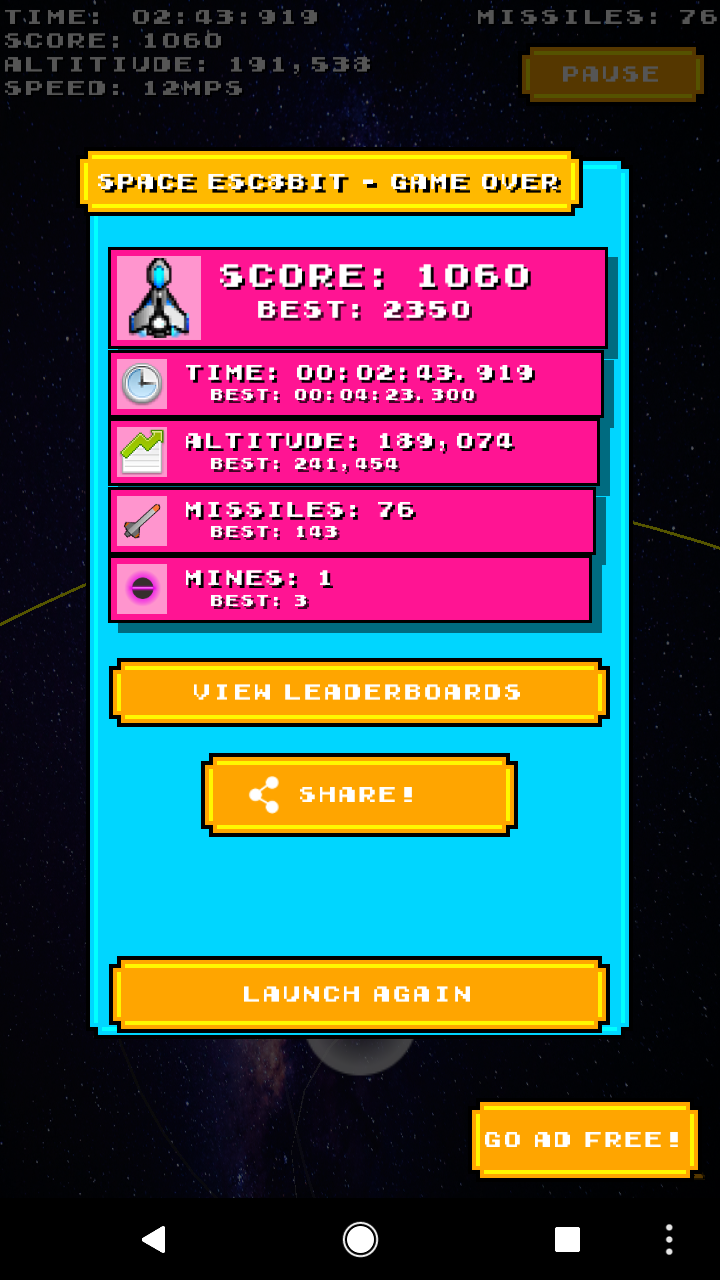
For our recent release, Pew Zoom Boom, we wanted a way for people to share scores, beyond just Leaderboards, so we implemented sharing for social media networks. It’s pretty simple to set up and get working in your own project.
Set Up
First you’ll need to save the screenshot to a path that’s accessible from your app. Then call this Method here:
////// Shares an image using the preferred method in Android or iOS.///public void ShareImage(string path, string extratxt = “”){}
The path is to the screenshot you’ve taken, and the ‘extratxt’ is for any text you’d like to add to your post.
Sharing Is Caring
Now we need to fill in the empty method above. The Method is split by #if blocks for Android and iOS.
Android
For Android you want to setup a few things first:
- first set up the share intent,
- add the ‘extratxt’
- finally, create a Java File object and then get the uri of the tha Java File image.
// Set up the Share Intentvar shareIntent = new Intent(Intent.ActionSend);// Add Text to go along with itshareIntent.PutExtra(Intent.ExtraText, extratxt);// The link to the photo you want to share (i.e the path to the saved screenshot)Java.IO.File photoFile = new Java.IO.File(path);var uri = Android.Net.Uri.FromFile(photoFile);
Then finally add the uri stream to the shareIntent, Set the Type to Image. You also need to App ReadURI Permissions.
// Add the required info the the shareIntentshareIntent.PutExtra(Intent.ExtraStream, uri);shareIntent.SetType(“image/*”);shareIntent.AddFlags(ActivityFlags.GrantReadUriPermission);
And then finally launch the intent by calling the below code.
// Now Send the Share IntentAndroid.App.Application.Context.StartActivity(Intent.CreateChooser(shareIntent, “Choose one”));
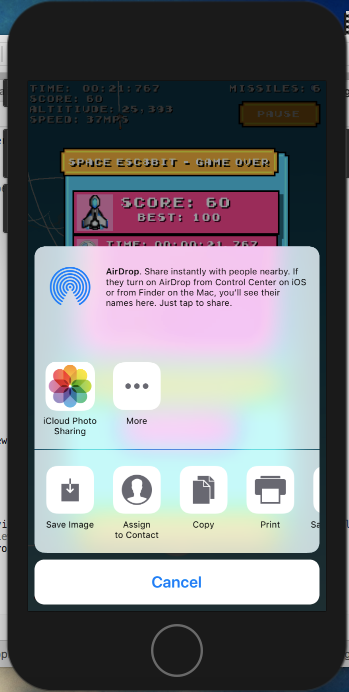
Calling the last line will start the share intent allowing you to share across different social media platforms:
iOS
iOS requires even less lines of code, but needs a special line if it’s for a tablet opposed to a phone.
// Get the ViewController from MonoGameUIViewController ViewController = Engine.Game.Services.GetService(typeof(UIViewController)) as UIViewController;// Create an Image Object with the Path to the ScreenshotUIImage image = new UIImage(path);NSObject[] shareItems = { image };// Create a View Controller For the ActivityUIActivityViewController shareViewController = new UIActivityViewController(shareItems, null);shareViewController.ExcludedActivityTypes = new NSString[] { };// Handle if it’s for an iPadif (UIDevice.CurrentDevice.UserInterfaceIdiom == UIUserInterfaceIdiom.Pad){shareViewController.PopoverPresentationController.SourceView = ViewController.View;shareViewController.PopoverPresentationController.SourceRect = new CoreGraphics.CGRect((ViewController.View.Bounds.Width / 2), (ViewController.View.Bounds.Height / 4), 0, 0);}// Finally present the ActivityViewController.PresentViewController(shareViewController, true, null);
And that’s all, from there you can share to any social networks you have installed. Through my own testing it’s worked with Twitter, WhatsApp, Facebook, and Sanpchat.
Putting It All Together
We can put both of these blocks of code together into a single method seperated with #if blocks:
////// Shares an image using the preferred method in Android or iOS.////// Path.public void ShareImage(string path, string extratxt = “”){#if __ANDROID__try{// Set up the Share Intentvar shareIntent = new Intent(Intent.ActionSend);// Add Text to go along with itshareIntent.PutExtra(Intent.ExtraText, extratxt);// The link to the photo you want to share (i.e the path to the saved screenshot)Java.IO.File photoFile = new Java.IO.File(path);var uri = Android.Net.Uri.FromFile(photoFile);// Add the required info the the shareIntentshareIntent.PutExtra(Intent.ExtraStream, uri);shareIntent.SetType(“image/*”);shareIntent.AddFlags(ActivityFlags.GrantReadUriPermission);// Now Send the Share IntentAndroid.App.Application.Context.StartActivity(Intent.CreateChooser(shareIntent, “Choose one”));}catch{Console.WriteLine(“Error Sharing Results…”);}#elif __IOS__try{//UIViewController ViewController = Engine.Game.Services.GetService(typeof(UIViewController)) as UIViewController;UIImage image = new UIImage(path);NSObject[] activityItems = { image };UIActivityViewController activityViewController = new UIActivityViewController(activityItems, null);activityViewController.ExcludedActivityTypes = new NSString[] { };if (UIDevice.CurrentDevice.UserInterfaceIdiom == UIUserInterfaceIdiom.Pad){activityViewController.PopoverPresentationController.SourceView = ViewController.View;activityViewController.PopoverPresentationController.SourceRect = new CoreGraphics.CGRect((ViewController.View.Bounds.Width / 2), (ViewController.View.Bounds.Height / 4), 0, 0);}ViewController.PresentViewController(activityViewController, true, null);}catch{Console.WriteLine(“Error Sharing Results…”);}#elseConsole.WriteLine(“Sharing Not Available On This Platform.”);#endif}
Pop it into your code and give it a try!
And If you like what you read, give me a follow here or keep up with me on Twitter.